
Free Pages Templates

Pages is a great tool for creating beautiful documents, especially if you need to collaborate with others. It’s easy to use and comes free with all Apple devices. You can even share your files online so that anyone can edit them.
Pages is available on Mac, iPad, iPhone, and PC.
Most Popular Pages Templates

Modern Itemized Receipt
Basic receipt with a modern feel and itemized entries. This monochromatic receipt template has sections…

Basic Black and White Fax Cover Sheet
Simple and plain fax cover page with text fields using tables in Pages. Included in this template are…

DVD Case Cover with Labels
Single-page DVD cover insert with labels for front, back, and spine segments. This template also includes…

95mm x 210mm Novelty Flyer
Portrait-oriented novelty flyer measuring 95mm by 210 mm. This template offers a dramatic black background…

A4 21-Up Blank Label Sheet (Label L7160 Template)
Blank sheet of 21 labels on A4 paper, compatible with label L7160. This template is organized into three…

Academic Notecard
Set of academic notecards to be used for research. Each card in this template is blank and offers ample…

Action Item Delegation List
An action item list with delegation notes. This simplified template tracks items assigned to various…
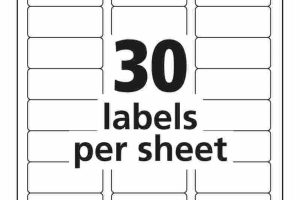
Address Label Wizard AppleScript (Label 5160 Template)
AppleScript to create 30-up address labels, compatible with label 5160. This script supports the label…

6-Up Wine Label Typewriter
Basic 6-up wine label with watermarked image background. Each label includes the name of the winery,…
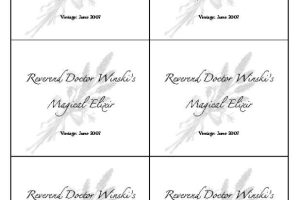
6-Up Wine Label
An elegant 6-up wine label template with background image. This template includes a large space for wine…

60-Up Return Address Labels with Text
Set of 60 return address labels with text placeholders. This template is organized with labels in four…

7-Page Blank Booklet Template
7-page blank booklet template. This booklet offers seven pages, one of which has instructions for a blank…
iWork was Apple’s productivity software suite, consisting of Pages (a word processor), Keynote (presentation software), and now Numbers (a spreadsheet app). Now each of the apps are available seperatly in the App Store and many times come preinstalled on new Apple devices.
These applications are phenomenally designed, easy to learn, and efficient to use.
Pages, Numbers and Keynote built around the use of templates – and the templates provided by Apple are great! But we felt there would be a strong demand for more; so we set up this site to allow the community of iWork users to share what they have created.