
Free Pages Templates

Pages is a great tool for creating beautiful documents, especially if you need to collaborate with others. It’s easy to use and comes free with all Apple devices. You can even share your files online so that anyone can edit them.
Pages is available on Mac, iPad, iPhone, and PC.
Most Popular Pages Templates

Modern Itemized Receipt
Basic receipt with a modern feel and itemized entries. This monochromatic receipt template has sections…

Basic Black and White Fax Cover Sheet
Simple and plain fax cover page with text fields using tables in Pages. Included in this template are…

DVD Case Cover with Labels
Single-page DVD cover insert with labels for front, back, and spine segments. This template also includes…
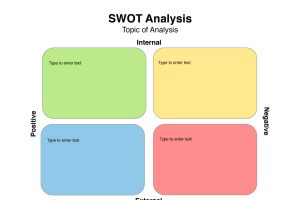
SWOT Analysis Worksheet
Color-coded SWOT analysis outline in landscape orientation. This template includes color-coded sections…
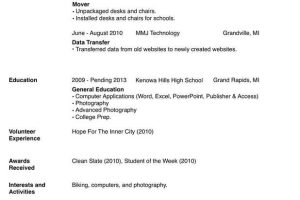
Simplified Single-Page Resume
Basic text-based resume on a single page with two columns. This resume includes a heading with bold name…

Single CD Jewel Case Cover
Single-page rear case cover for CD jewel case. This template includes two places to mark in the title…

Single-Page Classroom Bulletin Flyer
Single-page weekly classroom announcements flyer with bulletin board background. This template includes…
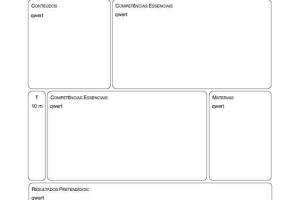
Single-Page Lesson Plan Outline (Portuguese)
Single-page lesson plan with logo and divided sections, crafted in Portuguese. This template includes…

Single-Page Memo with Logo
Single-page simple memo with logo in top right corner. This template offers a bold heading with sections…

Simple CD Cover with Title
Simple CD case cover with title text and guidelines. 2-up design makes it easy to create both front and…

Simple DVD Case Insert with DVD Logo
Single-page blank DVD case insert with delineations for front, back, and spine. This template includes…

Simple Sermon Outline with Scripture Text
Simple, single-page outline of points for a sermon. The sermon template includes three sections with…
iWork was Apple’s productivity software suite, consisting of Pages (a word processor), Keynote (presentation software), and now Numbers (a spreadsheet app). Now each of the apps are available seperatly in the App Store and many times come preinstalled on new Apple devices.
These applications are phenomenally designed, easy to learn, and efficient to use.
Pages, Numbers and Keynote built around the use of templates – and the templates provided by Apple are great! But we felt there would be a strong demand for more; so we set up this site to allow the community of iWork users to share what they have created.